

Custom Gas Policies
Custom gas policies enable you to tailor your sponsorship criteria using a webhook. This feature allows you to set up a custom policy that calls a URL you provide to determine whether to sponsor a transaction.
Getting Started
To utilize custom gas policies, you'll need to configure a webhook endpoint on your server. This endpoint will receive data from ZeroDev and must return a JSON response indicating whether to proceed with the transaction sponsorship.
Setting up Your Webhook Endpoint
Endpoint Requirements:- Must accept
POSTrequests. - The
POSTrequest will include theuserOp,projectId, andchainIdin the body (see example below). - The request must return a
200status with a JSON body indicating whether to proceed (see example below).
Configuring Your Custom Policy
Sign in to your ZeroDev dashboard and navigate to the Gas Policies page. At the bottom of the page, you will find the Custom Policy form as shown below.
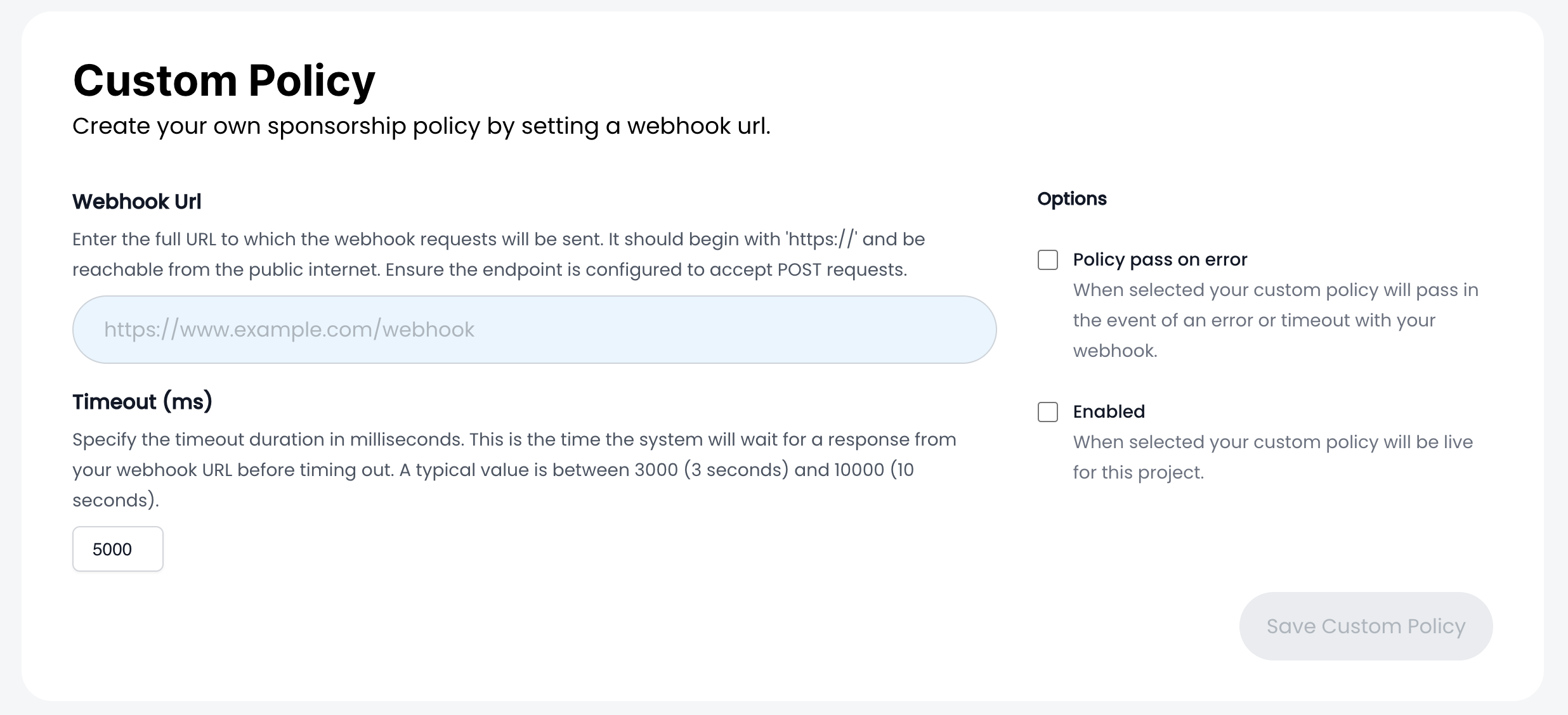
Enter the following options:
- Webhook URL: The full URL that the ZeroDev policy engine will make a POST request to.
- Timeout Settings: The amount of time the policy engine will wait for a response from your webhook URL. It's important to keep response times low to decrease latency for your end-users.
- Policy Pass on Error: Select this option to always pass the policy when an error occurs or the webhook times out.
- Enabling the Policy: Toggle this option when you are ready to enable the policy for your project.
Webhook Payload
The POST request sent to your webhook URL will include the following:
projectId: The ID of your project.userOp: TheUserOperationobject.chainId: The ID of the chain where the operation is being performed.
Here is an example request body:
{
"projectId": "<THE PROJECT ID FOR THE GIVEN USEROP>",
"userOp": {
"sender": "0x...",
"nonce": "0x...",
"initCode": "0x...",
"callData": "0x...",
"paymasterAndData": "0x...",
"signature": "0x...",
"maxFeePerGas": "0x...",
"maxPriorityFeePerGas": "0x...",
"callGasLimit": "0x...",
"verificationGasLimit": "0x...",
"preVerificationGas": "0x..."
},
"chainId": 80001
}
Expected Webhook Response
Your webhook should respond with a 200 status code and a JSON body indicating whether to proceed with the transaction. Additionally, you can specify how the webhook's decision interacts with ZeroDev's internal policy checks using an optional logicalOperator field.
Response Fields:
-
proceed(boolean, required): Indicates whether to sponsor theuserOp(true) or not (false). -
logicalOperator(string, optional): Defines how to combine the webhook'sproceedvalue with ZeroDev's policy checks.- Accepted values:
'and': Proceed only if both ZeroDev's policy checks andproceedaretrue.'or': Proceed if either ZeroDev's policy checks orproceedistrue.
- Default:
'and'(if the field is omitted).
- Accepted values:
Example Webhook Responses:
Proceed using logical AND (default):
{
"proceed": true
}In this case, the transaction will proceed only if both ZeroDev's internal policy checks and the webhook return true.
Proceed using logical OR:
{
"proceed": true,
"logicalOperator": "or"
}With the logicalOperator set to 'or', the transaction will proceed if either ZeroDev's policy checks or the webhook approve it.
Behavior of Transaction Approval
When a transaction is submitted, ZeroDev performs internal policy checks to determine if the transaction meets the predefined criteria (e.g., gas policies, rate limits). The result of these checks is combined with the webhook's proceed value based on the logicalOperator.
-
Logical AND (
'and'):The transaction proceeds only if both ZeroDev's policy checks and the webhook approve (
true). -
Logical OR (
'or'):The transaction proceeds if either ZeroDev's policy checks or the webhook approve (
true).
Note: If the logicalOperator field is omitted or contains an invalid value, it defaults to 'and'.
Example Webhook Server
To help you get started with implementing your custom gas policies, we've provided an example webhook server. This server demonstrates how you might receive and handle incoming webhook requests from ZeroDev.
The repository includes a basic server setup using Express.js, which listens for POST requests on a specified route. It logs the incoming data to the console and responds with a JSON object indicating whether to sponsor the transaction.
You can find the example server here.
Note: If you wish to implement the new logicalOperator functionality, make sure to update the example server to include the logicalOperator field in the response as needed.